TL;DR
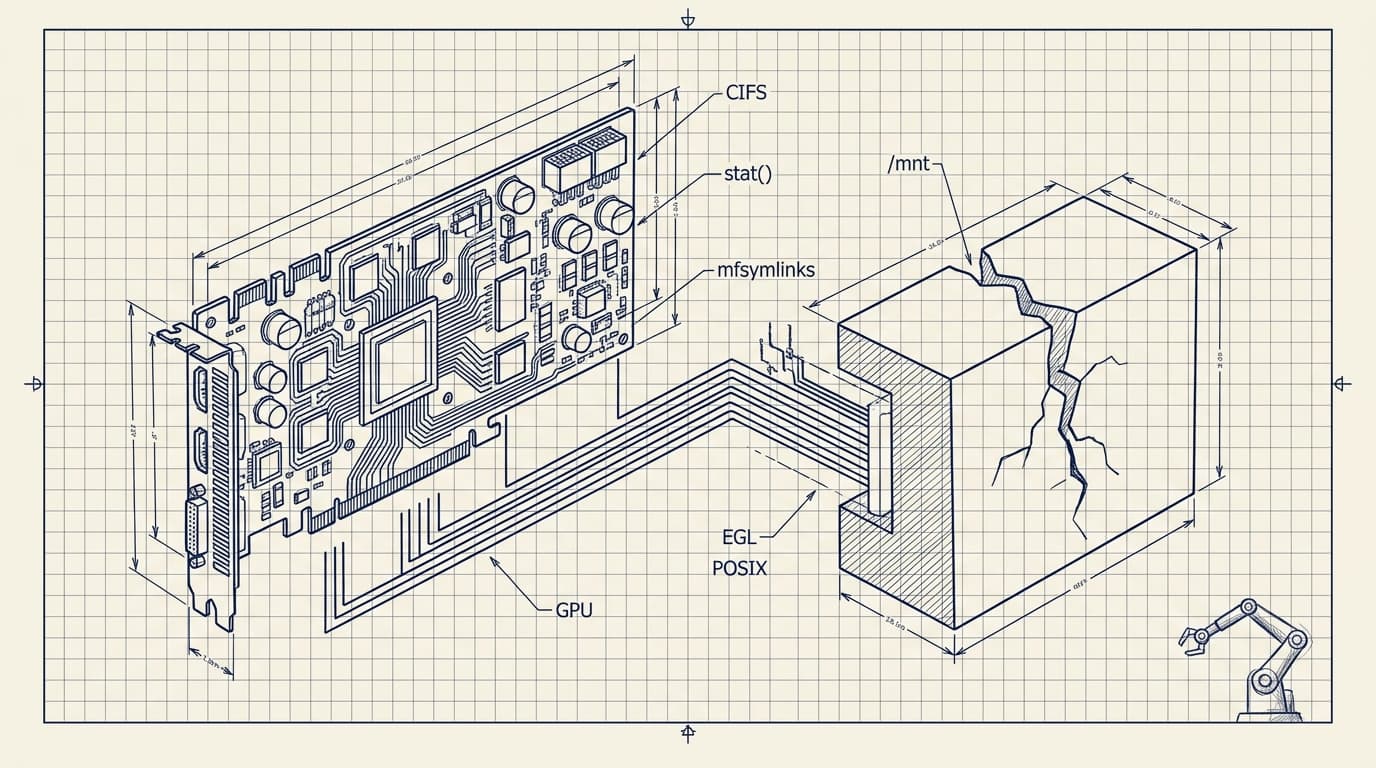
We needed to deploy MuJoCo on Azure ML for a physical AI research team working on VLA models. It was surprisingly painful. What should have taken minutes took hours, even with AI help. The surprising culprit wasn't the GPU. It was the filesystem: Azure Files uses CIFS/SMB, which breaks symlinks, has high metadata latency, and silently violates POSIX assumptions that research code depends on.
For context, this would be trivial on GCP. The footguns we hit (and how to get around them) are the point of this post.
Just want it to work? We built simup — a one-command CLI that deploys MuJoCo on Azure with all these issues pre-solved. The rest of this post is the hard-won context behind it.
Background

MuJoCo humanoid simulation. Image: Google DeepMind (Apache 2.0)
We at Haptic are working with a robotics AI research team to train robot control policies using a pipeline of VLA (Vision-Language-Action) models in simulation. The physics engine behind most of this work is MuJoCo. The team hit GPU capacity limits on their university cluster, so we needed to move the workload to a cloud provider with available compute. Azure ML was the only option for non-technical reasons.
A Note on Where I'm Coming From
My background is macOS, Linux, GCP, and AWS. I had never touched Azure before this project. We weren't here because Azure was the obvious choice; we were here because a research partner maxed out their university cluster and needed someone to bridge the gap fast. Some of what bit me was genuinely Azure-specific. Some of it was me bringing the wrong mental model to a system I didn't understand yet.
The GPU Was Never the Problem
Every time something broke, my instinct was to look at CUDA, the driver version, the GPU itself. Every time, I was wrong. The actual enemy was the filesystem.
Observations at a Glance
| Problem | Symptom | Root Cause | Fix |
|---|---|---|---|
| Symlinks silently broken | Install failures, dead dataset paths | CIFS without mfsymlinks | Add mfsymlinks to /etc/fstab |
| Storage pincer | GPU idle, training never started | Node disk too small; network storage too slow | Redirect caches to /mnt, Premium tier for data |
| Training script hung | Never reached epoch 1 | 4,338 × 3.3s stat() calls on CIFS | Premium tier + restructure data loading |
| Stale mount wouldn't release | Lost GPU time | SMB mount stuck after account switch | Reboot (no clean alternative) |
| MuJoCo rendering failed | Error looked like CUDA problem | EGL not pre-configured on compute node | Install EGL, add user to render group |
| Driver conflict | Stack wouldn't load | nvidia-535 preinstalled, wrong version | Purge, reinstall nvidia-headless-580-server |
What I Was Trying to Do
Simulation-to-real training for a robotics research partner at Haptic: MuJoCo for physics sim, openpi for the policy learning stack, Git LFS-tracked datasets, C++ submodules that needed to compile. The kind of workload where everything touches everything.
I stood up an Azure ML Compute Instance, mounted training data from Azure Files, and assumed the hard part would be the ML itself.
It was not.
Problem 1: CIFS Doesn't Know What a Symlink Is
Azure Files is SMB/CIFS. Without mfsymlinks as a mount option, creating a symlink silently succeeds, but produces a regular file. No error. The link just doesn't work.
I didn't know this. Coming from Linux-on-local-disk, I had no particular reason to go looking. This is an Azure-on-Linux-specific quirk, not something you'd hit on a standard HPC cluster.
It hit me in two places:
uv hardlink failure. uv defaults to hardlinking packages into venvs for speed. Hardlinks across CIFS don't work. The install “succeeded” but packages weren't usable. Fix: export UV_LINK_MODE=copy.
Dead dataset symlink. Training data was on one mount path; the repo expected it at another. ln -s appeared to work. The symlink was a dead file. Training failed at data loading with an error that looked like a path configuration problem.
Fix: One word in /etc/fstab: mfsymlinks. Getting there cost two hours.
Problem 2: The Storage Pincer
Before getting into fixes, it's worth explaining why this wasn't a simple “you ran out of disk” situation, because the naive fix makes things worse.
H100 nodes on Azure ML are provisioned as compute, not storage. The local disk is almost an afterthought. That sounds fine until you do the math on what a serious robotics ML stack actually needs:
| Component | Size |
|---|---|
| OS + CUDA stack | ~30GB |
| Build artifacts, pip/uv/torch cache | ~20GB |
| HuggingFace dataset cache | 77GB |
| Model weights | 20–70GB depending on config |
| Total | ~150–200GB before training starts |
Local SSD on this node: 126G total, 89G already used, 31G free.
The obvious response (put the dataset on network storage) is the correct instinct. That's what Azure Files is for. The problem is that the research code was written for university HPC clusters with local NVMe. It assumes fast stat() calls. It enumerates files at startup. It does thousands of small metadata operations that feel free on local disk and cost 3.3 seconds each on CIFS.
So the disk problem and the I/O problem aren't separate issues. They're the same problem from two directions: the node has too little local storage to hold the workload, and the network storage it's designed to offload to isn't fast enough to run the workload. You're in a pincer.
local SSD:  126G total | 89G used | 31G free
dataset:    77G
→ dataset does not fit on local SSD
→ must use network storage
→ network storage has 3.3s metadata latency
→ training script that enumerates 4,338 files at startup: effectively hangs
The exit is partial: redirect everything that isn't raw data to local SSD (caches, venvs, build artifacts), leave the dataset on Premium-tier Azure Files, and restructure how the training script accesses files. You don't fully escape the pincer. You make it survivable.
Redirect all caches before touching anything else:
export HF_HOME=/mnt/hf_cache
export UV_CACHE_DIR=/mnt/uv_cache
export PIP_CACHE_DIR=/mnt/pip_cache
export TORCH_HOME=/mnt/torch_cache
Problem 3: CIFS Metadata Latency Killed the Training Script
The failure chain:
training script starts
→ enumerates dataset directory
→ 4,338 parquet files × stat() call each
→ each stat() call: 3.3 seconds on Azure Files Standard
→ total: ~4 hours just to scan the directory
→ training script appears hung
→ GPU never utilized
The script wasn't broken. It was waiting on the filesystem.
Running git lfs install && git submodule update --recursive on the same mount had the same character: thousands of small metadata operations, each paying the SMB round-trip tax.
Migrating to Azure Files Premium tier improved sequential throughput and unblocked the LFS clone. It did not fully solve metadata latency; individual stat() calls were still slow. But it was enough to get the training job started. That migration required a new storage account, azcopy with SAS tokens, an /etc/fstab update, and a remount.
Run these before committing to a storage tier. They take five minutes and can save a day:
# Sequential write throughput
dd if=/dev/zero of=/mnt/mujoco-data/test_write bs=1M count=512 oflag=direct

# Metadata latency: the number that actually matters
time stat /mnt/mujoco-data/any_single_file.parquet
If stat is over a few hundred milliseconds and your training script enumerates files at startup, you have a problem before you've run a single epoch.
Problem 4: The Mount Got Stuck and Required a Reboot
After migrating storage accounts, the old CIFS mount went stale. Standard unmount approaches all failed:
sudo umount //old-account.file.core.windows.net/mujoco-data   # failed
sudo umount -l /mnt/mujoco-data                               # still mounted
sudo fuser -m /mnt/mujoco-data                                # found blocking processes
sudo umount -f /mnt/mujoco-data                               # still stuck
sudo reboot                                                    # this worked
A forced reboot on a cloud GPU node to clear a stale SMB mount. There are billing implications to that sentence.
Problem 5: Headless GPU Rendering Isn't Pre-Configured
MuJoCo needs EGL for offscreen rendering. The Azure ML compute node I was on didn't have it set up. The failure mode was the real problem: the error looked like a CUDA or GPU driver issue. I spent real time on the wrong diagnosis.
sudo apt-get install libegl1-mesa libegl1-mesa-dev
sudo usermod -a -G render $USER
GPU was fine the whole time. It just didn't have access to an EGL context.
Problem 6: NVIDIA Driver Conflicts
The preinstalled nvidia-535 drivers conflicted with what the stack required. Fix:
sudo apt-get purge nvidia*
sudo apt autoremove
sudo apt-get install nvidia-headless-580-server
sudo reboot
The key distinction: nvidia-headless not nvidia-driver. No desktop on a compute node. This isn't Azure-specific; it would bite you on any headless Linux server. But nothing in the Azure ML setup flagged it.
What I Tried That Made It Worse
| Approach | What Happened | Verdict |
|---|---|---|
| Making HF cache dir read-only to prevent disk fill | Caused subtle import failures in libraries that write to hub cache on load | Reverted |
mmap for dataset access over CIFS | Slower than direct reads; page fault overhead on network-backed memory | Reverted |
| Staying on Azure Files Standard and tuning mount options | Metadata latency was structural, not tunable | Migrated to Premium |
umount -f to clear stale mount | Didn't work; kernel held the mount | Rebooted |
What Was Actually Fine
Once the environment stopped fighting me, the GPU did exactly what I asked. Azure gave us access to compute we genuinely didn't have. The university cluster was at capacity, and without Azure we weren't running anything. GPU utilization, once training started, was clean and stable. Azure ML's job management, once you understand the model, is reasonable. The problem was entirely in setup: the gap between what the research code assumed and what Azure ML provides by default.
The Pattern
Worth separating the two types of problems:
Azure-specific friction in this setup:
- CIFS symlink behavior without
mfsymlinks - OS disk provisioned for compute, not storage, insufficient for robotics ML workloads
- Azure Files metadata latency on SMB
- EGL not pre-configured on the compute node
General HPC-to-cloud friction (probably not Azure-specific):
- Research codebases that hardcode Ubuntu + SLURM assumptions
stat()-heavy data loading pipelines that assume fast local NVMe- Python environment tooling that expects symlinks and hardlinks to work
- Git LFS + network storage being a genuinely bad combination
I can only speak to Azure from this deployment. Whether other clouds handle POSIX-style metadata operations better for this class of workload is an open question worth testing.
Pre-Flight Checklist
Before you touch a single line of research code.
Storage
- Add
mfsymlinksto every CIFS/Azure Files mount option in/etc/fstab - Run
time stat <any_file>on your mount. If it's over 100ms, plan around it - Run a
ddwrite benchmark before committing to a storage tier - Do the math: OS + CUDA + caches + weights + dataset. If it exceeds local SSD, you're on network storage for data; account for metadata latency accordingly
- Use Azure Files Premium, not Standard, for any workload with Git LFS or heavy file enumeration
Disk / Cache
- Redirect pip, uv, HuggingFace, and torch caches to
/mntbefore anything else - Set
UV_LINK_MODE=copy - Run
df -hbefore any large install. The OS disk fills faster than you expect
GPU / Rendering
- Install
nvidia-headless-{version}-server, notnvidia-driver - Install EGL:
sudo apt-get install libegl1-mesa libegl1-mesa-dev - Add your user to the render group:
sudo usermod -a -G render $USER
Automation
- Write an idempotent
node_setup.shwith all of the above and run it at boot via Azure ML startup scripts - Never let critical setup live only in bash history
The GPU ran fine, by the way. When I finally got everything else out of the way, it did exactly what I asked. It had been waiting patiently the entire time.
If you've ported similar workloads to cloud infrastructure and hit different failure modes, especially around metadata latency or POSIX semantics, I'd be curious what you found.
That's Why We Built simup

Every issue in this post is something we solved by hand, then automated so nobody else has to. simup is a single CLI that deploys MuJoCo on Azure with all of these fixes baked in. One command and your sim is up.
It's free, open source, and available now on GitHub: github.com/Haptic-AI/one-click-mujoco-azure
If you're running into these kinds of problems and want help getting your workloads off the ground, we can help with that.